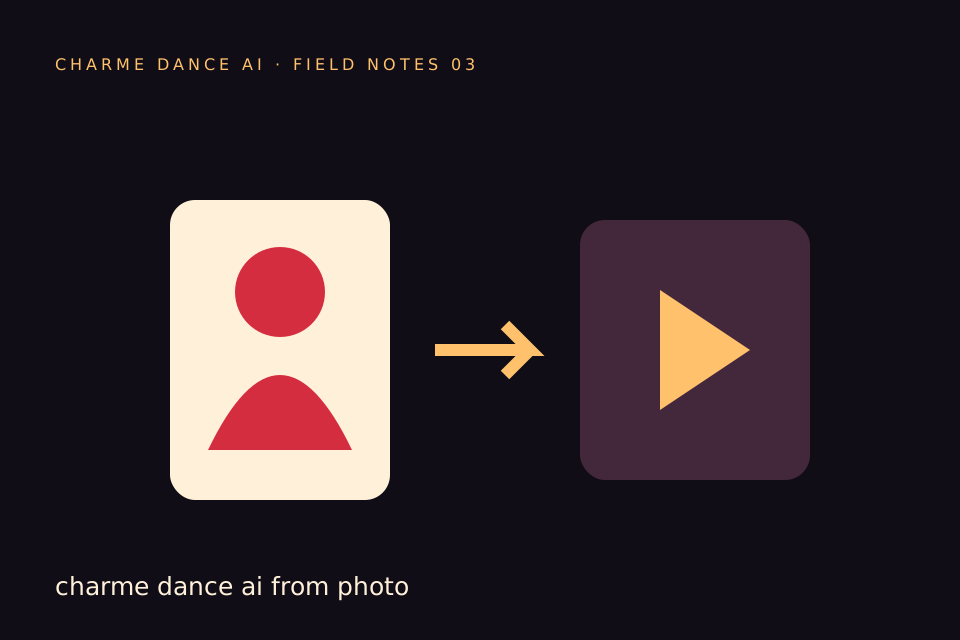
A Charme Dance AI video from a photo is a newly generated performance that uses the picture as an appearance reference. It is not hidden footage extracted from the file. One clear photo can suggest a face, hairstyle, outfit and body proportions; the video model invents the movement, camera view and surrounding scene.
That makes photo mode useful when the personal recognition matters: a playful clip of yourself, a consenting friend or an adult family member. It also creates a practical responsibility to choose a usable image, understand the limits and review the finished video before sharing it.
What the photo tells the model
Visible details are the strongest information you provide. A front-facing face offers clearer identity cues than the back of a head. A waist-up or full-body picture shows how the outfit sits on the subject. Even lighting makes facial features easier to distinguish from shadows.
The photo does not describe every possible view. When the dancer turns, the model has to invent details that were not visible. If the input crops out the hands or legs, their appearance is also inferred. More elaborate motion creates more moments where the model must guess.
This is why “keep me exactly the same” is an intention rather than a guarantee. The best practical response is not to write that instruction twenty times. It is to supply a clean reference and keep the desired scene and movement coherent.
Pick a picture for this specific task
Start with one adult facing roughly toward the camera. Include the shoulders and clothes you want to preserve. A picture from the knees up can balance a readable face with enough body information for the dance. Full-body images can also work if the face is still clear.
Avoid choosing only by how flattering the photograph is. A heavily filtered selfie may look appealing but erase the small details that help a generated face remain recognisable. A dramatic low-angle portrait may hide the jaw or distort proportions. A dark club picture may fit the atmosphere while providing poor identity information.
If you have several candidates, compare them at the same screen size. Ask which one gives the clearest view of the person rather than which has the most exciting background. The generated scene will supply its own atmosphere.
A useful comparison exercise
Suppose you have three photographs. The first is a sharp headshot with the shoulders cut off. The second is a well-lit standing picture from the knees up. The third is a wide holiday group photograph with the intended dancer near the edge.
The standing picture is a sensible first choice because it gives the model both identity and body context. The headshot may work for appearance, but it leaves more clothing and movement details to invention. The group photograph risks ambiguity about the lead and includes people who may not have agreed to participate.
This is an illustrative decision exercise, not a published benchmark. We have not measured a universal success rate for these categories. The aim is to reduce avoidable uncertainty before you spend credits.
Keep the person separate from the background
A photograph with one clear subject helps establish who should lead the scene. If another face overlaps the shoulder, or an arm from someone outside the frame crosses the body, the model can misunderstand where one person ends and another begins.
You can choose a different photograph instead of trying to repair a difficult image. Repeatedly cropping, sharpening and enlarging a poor source does not recover information that was absent. A fresh, evenly lit picture is often a simpler preparation step.
For the same reason, avoid visible text, complicated logos or several layered accessories when they are not important to the result. Fine details may change during motion, and a short party clip is usually about recognising the person and the mood.
How the image reaches generation
You select a supported file in the browser and confirm permission. The service checks the upload and moderation requirements before requesting a video. The photo is used as a private processing input through signed access, rather than being published as a gallery item.
Generation is paid. The current default uses 30 credits for a 12-second, 720p, vertical video with standard Seedance 2.0. The interface should show that amount before submission. Selecting a photograph or browsing a guide does not itself create a paid model task.
If the service cannot complete the required safety checks, it must stop rather than silently submit the image anyway. A refusal can concern the file, the depicted content or service availability; it does not necessarily mean that the photo is visually poor.
Write direction that supports the image
A short setting instruction is usually enough: “warm courtyard lighting, a small crowd, keep the visible blue shirt.” Keep the camera far enough away to show the shoulders and side steps. Avoid asking for a close-up face throughout a video whose main purpose is dancing.
Do not ask for a different person’s face while uploading your own reference. Do not combine a request to preserve the outfit with several contradictory costume changes. Decide which details matter most and make the brief consistent.
If you want a fully invented adult and outfit instead, text mode is a better fit. Switching modes changes the goal: photo mode asks the model to use a personal reference; text mode asks it to invent a subject.
Review identity throughout the result
A face can look convincing in the first frame and change during a turn. Watch at normal speed, then pause around the moments when the head moves sideways, a hand crosses the face or the dancer approaches the camera. Compare recognisable features without expecting pixel-for-pixel preservation.
Also inspect the outfit and body. A sleeve that changes length, a necklace that disappears or a hand that merges with another dancer can be distracting even when the face looks acceptable. Decide whether the result is suitable for the intended audience before publishing it.
A new render is a new creative attempt and uses credits. If you choose to try again, change one meaningful input: a clearer photo, a calmer camera request or a simpler scene. Keeping notes makes the next decision more deliberate.
Sharing and permission
Permission to take a photograph does not automatically mean permission to animate it into a fictional performance. Explain what you plan to create and where it may be shared. Use only adults who agree, and do not use public figures or strangers.
After generation, label the result as AI-created. Avoid a caption that suggests the subject attended a real event when they did not. The joke can be “my fictional party entrance” rather than a false claim about where somebody was.
If another person withdraws permission, stop sharing and use the support route for account or content requests. The privacy guide explains the difference between uploaded inputs, generated results and transaction records.
Photo-to-video questions
Do I need to upload a video too?
No. This workflow accepts one adult photograph. Its dance direction is built in, and it does not ask you to obtain the original viral recording.
Can I use a passport photo?
A clear face may be useful, but a tightly cropped document portrait gives little body or clothing context. Do not upload the document itself or expose identifying information. Choose an ordinary personal photograph instead.
Will my clothes remain identical?
The model is directed to preserve visible appearance, but small details may change. If an exact branded outfit is essential, this creative tool may not satisfy that requirement.
What is the next step?
Choose your strongest permitted image, read the displayed specification and prepare it in the embedded generator. For motion and identity problems, use the face-consistency checklist before paying for another attempt.
Try the tool from this guide
Use the same generator here: one adult photo or a text description, with the credit cost shown before submission.
Make your Charme Dance AI video
Add one clear adult photo. Keep your look, choose the atmosphere, and create a new dance scene.
JPG, PNG or WebP · up to 10 MB
Use a clear front-facing photo with your shoulders and outfit visible. A full-body photo gives the model more useful detail.
Extra direction (optional)
Video length
Only completed videos you choose to share may be selected for the gallery. Your original photo stays private.
$19.90/ 30 credits
30 credits · 12 secondsYou have 0 of 30 credits · short 30.
Generation uses paid credits. No registration gifts or free previews.
Your videos
Your finished Charme videos will appear here. Start with a photo or describe a scene above.
Charme Dance AI
Charme Dance AI editorial team · Source and publishing references