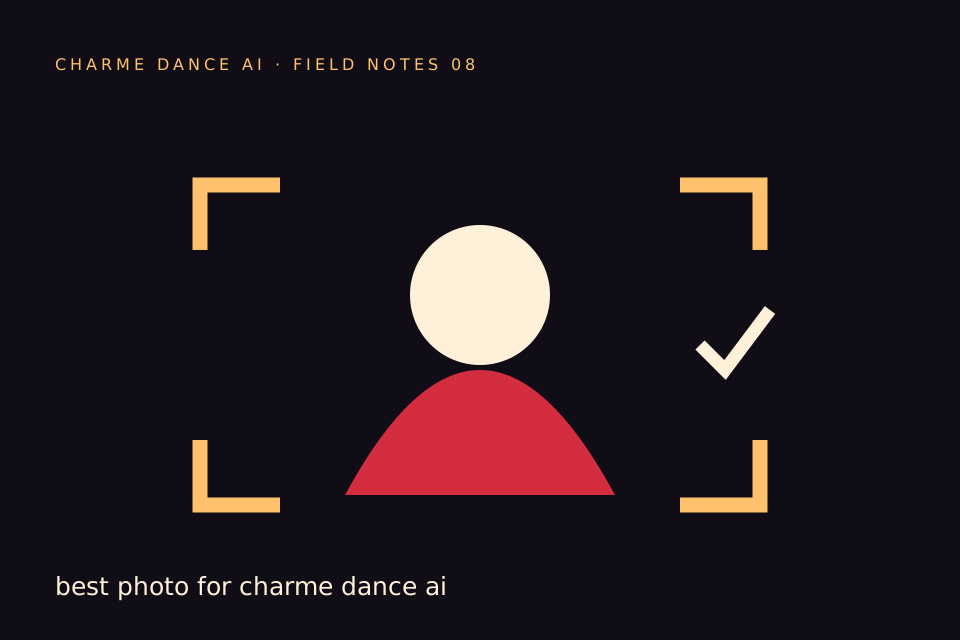
The best photo for Charme dance AI makes the intended adult easy to identify. A visible face, natural light and enough of the outfit usually provide more useful information than an elaborate background. This is an input checklist, not a promise that any photo will produce perfect likeness or choreography.
Charme Dance AI accepts one consenting adult photo in image mode. It asks standard Seedance 2.0 to create a new dance scene from that reference. The default video is twelve seconds, vertical 720p, and costs thirty credits. Check your input before submitting because a new successful render is another paid generation.
Start with permission and a single subject
Use your own image or an adult who has agreed to this use. Permission to take a photo is not always the same as permission to turn it into a realistic AI video or post that video publicly. Explain the idea and intended audience first.
Do not use a celebrity, public figure, stranger or child. A photograph found online is not automatically yours to transform. A public social profile does not establish consent. The safest input is a photograph the adult subject has chosen with you.
Choose one person per image. A second face in the background can make the intended lead less clear. If your only available photo is a crowded group picture, take a new solo photo rather than expecting a sentence to resolve every ambiguity.
Frame the body information you want preserved
A face-only crop tells the model little about the body or outfit. A waist-up or knees-up photograph provides more context. A full-body image can show proportions and clothing, provided the face remains large enough to read.
There is a tradeoff: moving too far away makes the person small, while moving too close hides useful body information. Aim for a clear lead occupying most of the frame with comfortable space around the head and arms.
Do not cut through the top of the head. Avoid a hand covering the mouth or cheek. A natural standing posture is easier to interpret than a dramatic perspective, a twisted pose or a body partly hidden behind furniture.
Use light that reveals the face
Soft daylight near a window is a practical starting point. It should illuminate both sides of the face without a bright background turning the person into a silhouette. You do not need studio equipment.
Strong colored lights, deep shadows and extreme contrast can hide features. The generator may then infer details that differ from the person. A sharply focused image with ordinary lighting is often a more informative reference than a visually dramatic but obscure portrait.
Avoid heavy beauty filters. They can remove texture or alter proportions, making the reference less representative. If recognition matters, choose the version that looks most like the adult in normal conditions.
Keep the outfit simple and visible
The visible outfit is useful guidance for the generated scene. A plain shirt or jacket keeps attention on the lead. Busy text, logos, tiny stripes and complex jewelry can create distracting details when animated.
The generator may still change fabric, sleeves or accessories. Do not use the result as evidence of how a real garment fits or performs. For a paid product advertisement, inspect every relevant detail and obtain whatever permissions the campaign requires.
If the input hides the lower body, the model must invent it. Be comfortable with that uncertainty before spending credits. A wider photo can reduce missing information, but it cannot remove all generative variation.
Check the actual file
Use the original JPG, PNG or WebP where possible. Avoid a screenshot of a screenshot. Repeated compression can make edges and facial detail harder to distinguish.
The upload control displays the accepted formats and size limit. If it rejects a file, follow the specific message instead of repeatedly submitting the same unsupported format. Renaming a file extension does not convert the underlying image.
Keep your original file somewhere you control. The studio is a generation service, not a permanent photo archive. You should also retain downloaded results independently if you want to keep them.
Compare three hypothetical inputs
These examples illustrate selection decisions; they are not performance measurements.
A tight selfie in dim light: the face is recognizable to a friend, but one cheek is hidden and the outfit is absent. Take a wider image in better light before generating.
A clear waist-up portrait: the adult faces the camera, both eyes are visible and the shirt is easy to read. This is a sensible reference for a lead-focused scene, with the understanding that unseen legs will be generated.
A full-body group photograph: the clothes are visible, but several faces compete for attention. Choose or take a solo portrait. Do not assume the model will know which friend you meant.
The point is to improve the information in the input rather than searching for a magical prompt that compensates for everything.
Add only useful optional instructions
A short note can preserve your priority: “Keep the visible outfit, use a small courtyard crowd and avoid a fast turn.” That is more coherent than asking for a complete costume change while also demanding that every detail stay identical.
Do not repeat a real person's name as a substitute for visual information. In text mode, describe a fictional adult. In image mode, let the permitted photograph supply the reference and use words to clarify scene choices.
The prompt guide includes original examples for both modes. You do not need a long prompt to begin.
Set visibility deliberately
Review the studio's visibility choice before submission. Public visibility is an explicit choice about whether a result can be considered for a curated public gallery; it is not an instruction to publish the original upload.
Private visibility keeps the result out of that public selection flow. Account ownership and generation entitlement still govern access to your result. A public example on the marketing page is a different asset from a private uploaded photo.
Discuss visibility with anyone whose likeness is involved. A friend agreeing to a private birthday joke may not be agreeing to a public marketing example.
Review the result with the same checklist
After generation, inspect the face in the opening and during turns. Compare hair, skin tone, clothing and body proportions. Check whether hands remain distinct and whether the lead merges into someone behind them.
Watch the entire file. A convincing opening can be followed by a poor transition. Listen to the audio too, especially if you intend to share the result with the subject.
If the task fails technically, its consumed credits are returned. If it succeeds but has a creative imperfection, a new render consumes credits again. Before retrying, identify a concrete input or direction change that could help.
Questions about uploading a photo
Can I use a pet or two people?
This version supports one adult in image mode. It does not offer a pet or duo workflow. Do not buy credits expecting a feature that is absent from the studio.
Do I need a transparent background?
No. A normal portrait can be used. The important issue is a clear, unambiguous adult subject, not a particular background removal technique.
Will my face be identical in every frame?
No generative result is guaranteed to preserve every detail. A good reference helps, but movement and turns can introduce changes. Review before publishing.
Can I prepare the upload before paying?
Yes. You can choose the image and direction first. Generation itself requires sufficient paid credits; there are no registration gifts or free video previews.
What is the next step?
Use the embedded studio below with your selected image, read the displayed specification and cost, and submit only when the input and intended sharing are clear. For the whole journey, see the step-by-step guide.
Try the tool from this guide
Use the same generator here: one adult photo or a text description, with the credit cost shown before submission.
Make your Charme Dance AI video
Add one clear adult photo. Keep your look, choose the atmosphere, and create a new dance scene.
JPG, PNG or WebP · up to 10 MB
Use a clear front-facing photo with your shoulders and outfit visible. A full-body photo gives the model more useful detail.
Extra direction (optional)
Video length
Only completed videos you choose to share may be selected for the gallery. Your original photo stays private.
$19.90/ 30 credits
30 credits · 12 secondsYou have 0 of 30 credits · short 30.
Generation uses paid credits. No registration gifts or free previews.
Your videos
Your finished Charme videos will appear here. Start with a photo or describe a scene above.
Charme Dance AI
Charme Dance AI editorial team · Source and publishing references