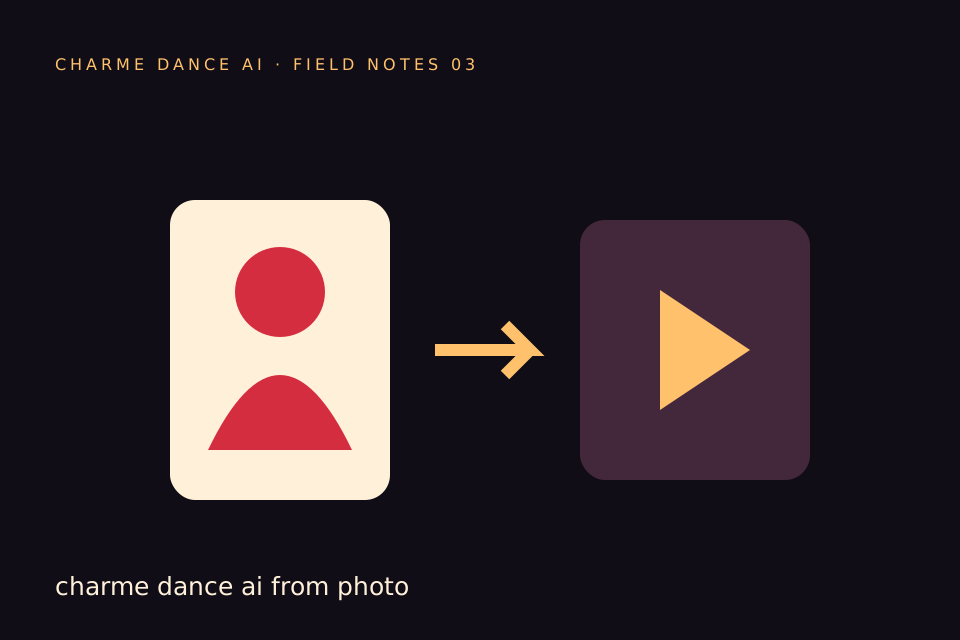
Creating a Charme Dance AI Reel is a novel way to animate a single photo of a consenting adult using AI-generated dance movements, resulting in a vertical video optimized for mobile viewing. This guide provides a detailed walkthrough for producing your own Charme Dance AI Reel with charmedanceai.pro, focusing on the current capabilities and limitations of the platform, vertical video export, cover image selection, pricing, and practical tips. By following these instructions, you will be able to transform a single photo into a polished, approximately 10-second silent vertical video suitable for social media reels and stories.
Before creating your own video, try the free preview. Every new account can create one free watermarked preview; the full 720p MP4 is unlocked with a credit pack or plan. Failed generations return their reserved credits.
Understanding Charme Dance AI Reels and Vertical Export
A Charme Dance AI Reel is a short video created by animating a single uploaded photo of a consenting adult using AI-driven dance choreography. The platform charmedanceai.pro uses a licensed hallway dance reference clip lasting about 9.426 seconds and applies the Kie AI Seedance 2.0 model (model ID: bytedance/seedance-2) to generate the animation. The output is a silent, vertical MP4 video approximately 10 seconds long, rendered at 720p resolution.
The vertical video format, with an aspect ratio close to 9:16, is designed to fit smartphone screens perfectly, making it ideal for platforms like Instagram Reels, TikTok, and Snapchat stories. The vertical export is automatic and fixed; users do not have options to change resolution, aspect ratio, or video length. Understanding this helps set expectations for the final output and how it will appear on various social media channels.
Preparing Your Inputs: Photo and Dance Reference
To generate a Charme Dance AI Reel, you need to provide the following input:
-
A Single Photo of a Consenting Adult:
Upload one image in JPG, PNG, or WebP format, with a maximum file size of 10 MB. The photo should clearly show the adult subject’s face and upper body, ideally with good lighting and minimal background distractions. This clarity helps the AI model better map the dance movements onto the subject. It is essential that the person in the photo has explicitly consented to this use. -
Dance Reference Clip (Fixed):
The platform uses one licensed hallway dance clip as the choreography reference. This clip is fixed and cannot be changed by users. The AI model applies this specific dance style to the uploaded photo. There is no option to select different dances or upload custom choreography.
Step-by-Step Guide: How to Create a Charme Dance AI Reel
Follow these steps to create your Charme Dance AI Reel on charmedanceai.pro:
-
Create an Account or Log In:
Every new account can create one free watermarked preview. The full 720p file needs a credit pack or plan: the cost of the clip is shown before you start, and failed generations return their reserved credits. -
Upload Your Photo:
Use the “Create Video” interface to upload one JPG, PNG, or WebP image of a consenting adult. The file size must not exceed 10 MB. -
Confirm Dance Reference:
The system automatically uses the Seedance 2.0 model with the fixed hallway dance clip. No user action is needed here. -
Submit Your Job for Video Generation:
Each video generation costs 50 internal credits. Submit your photo and confirm the job. Your video will enter the generation queue. -
Wait for Processing:
Video generation typically takes about 10 minutes based on tested runs, but actual times may vary depending on server load and queue length. There is no email notification; you must check the job status on the site. -
View Your Generated Video:
Once completed, you can watch a silent, vertical 720p MP4 video approximately 10 seconds long. The video is private and downloadable. -
Preview and Download:
The first watermarked preview is free. After generation, a 320-pixel clean preview is also available; the full 720p file requires credits. The original video can be downloaded without overlays once unlocked.
Choosing the Best Cover Image for Your Charme Dance AI Reel
The cover image serves as the thumbnail that viewers see before playing your video on social media platforms. Since the generated video is silent and brief, a compelling cover image is important to attract viewers.
Tips for Selecting or Creating a Cover Image:
-
Select a Clear Frame from the Video:
Choose a frame where the subject’s face is clearly visible and well-lit. Avoid frames with motion blur or awkward expressions. -
Upload a Custom Cover Image (Optional):
You may upload a separate photo to use as the cover image if none of the video frames are suitable. This image should match the video’s theme and mood. -
Consider Platform Display Differences:
Although the video is vertical 720p, different social media platforms may crop or display cover images differently. Test your cover image on Instagram, TikTok, or Snapchat to ensure it appears as intended.
Credit System and Pricing Overview
charmedanceai.pro operates on an internal credit system for video generation. Each video generation consumes 50 credits. A free watermarked preview is available before any purchase; credits unlock the full 720p file.
| Purchase Option | Credits Included | Validity | Price |
|---|---|---|---|
| One-time Pack (1 video) | 50 credits | Never expires | $9.90 |
| One-time Pack (3 videos) | 150 credits | Never expires | $19.90 |
| One-time Pack (5 videos) | 250 credits | Never expires | $29.90 |
| Monthly Subscription | 500 credits | Credits expire monthly | $29.90/month |
Yearly Basic costs $100 for 34 standard videos, billed once a year. Credits expire at the end of the billing year; cancel future renewals anytime.
Unused purchased credits do not expire, but subscription credits expire at the end of each billing month. Credits are refunded if a generation job fails.
Hypothetical Worked Example: Creating a Charme Dance AI Reel for “Alex”
To illustrate the process, consider this hypothetical example:
-
Subject: Alex, a consenting adult who wants to create a fun AI-generated dance reel for social media.
-
Photo: Alex uploads a clear PNG photo taken in natural daylight, showing his face and upper torso.
-
Steps Alex Takes:
-
Alex creates an account, buys a one-video pack and generates his video; the cost was shown before he started.
-
Alex uploads his photo through the “Create Video” interface.
-
The system confirms the use of the Seedance 2.0 model and the fixed hallway dance reference.
-
Alex submits the job, which consumes 50 credits. The video enters the generation queue.
-
After approximately 10 minutes, Alex checks the site and finds his video ready.
-
Alex previews the 320px without a watermark and then downloads the full 720p silent vertical MP4.
-
For the cover image, Alex selects a clear frame from the video showing a bright smile.
-
Alex uploads the reel and cover image to Instagram Stories and TikTok, where the vertical format fits perfectly.
-
This example demonstrates the straightforward process and typical user experience on charmedanceai.pro.
Troubleshooting and Tips for Better Results
-
Face Distortion or Poor Quality:
If the AI output distorts facial features or produces unsatisfactory results, ensure your uploaded photo is well-lit, high resolution, and shows the subject clearly. See the guide at /blog/fix-toc-toc-ai-face-distortion for detailed tips. -
Generation Queue Times:
Processing times vary with server load. Plan ahead if you need your video by a specific time. -
Content Safety:
The platform screens all uploaded photos, text, and generated videos for NSFW content to maintain community standards. -
Variability in Results:
AI-generated outputs may differ slightly between generations even with the same photo due to model randomness.
Useful Internal Links for Further Exploration
- For detailed pricing and subscription options, visit /pricing.
- To learn about the costs associated with AI video generation, see /blog/toc-toc-ai-video-cost.
- For help with face distortion issues, consult /blog/fix-toc-toc-ai-face-distortion.
- To start creating your own video, visit the homepage at /.
Frequently Asked Questions
How long does it take to generate a Charme Dance AI Reel?
Generation typically takes about 10 minutes but can vary depending on server load and queue length. There is no email notification; you must check the job status on the site.
Can I use any photo for my Charme Dance AI Reel?
You must upload a clear JPG, PNG, or WebP photo of a consenting adult, with a maximum size of 10 MB. The photo should clearly show the subject’s face and upper body.
Does the generated video include music?
No. The output video is silent. charmedanceai.pro does not provide music rights. You should add your own audio track separately when sharing your video.
How do I pay to try the service?
Every new account can create one free watermarked preview. The full 720p file needs a credit pack or plan; the cost of the clip is shown before you start, and failed generations return their reserved credits.
Can I change the dance reference or upload custom choreography?
No. The platform uses a fixed licensed hallway dance clip with the Seedance 2.0 model. Users cannot select different dances or upload custom choreography.
By following this guide, you can confidently create engaging Charme Dance AI Reels that fit perfectly into vertical video formats and attract viewers with compelling cover images. While the platform has specific limitations—such as a single fixed dance reference, one photo input, and silent videos—it offers a straightforward, credit-based system to animate photos with AI-generated dance moves. For the latest updates on pricing and features, visit the official /pricing page or contact support at contact@charmedanceai.pro.
Try the tool from this guide
Use the same generator here: one adult photo or a text description, with the credit cost shown before submission.
Make your Charme Dance AI video
Add one clear adult photo. Keep your look, choose the atmosphere, and create a new dance scene.
JPG, PNG or WebP · up to 10 MB
Use a clear front-facing photo with your shoulders and outfit visible. A full-body photo gives the model more useful detail.
Extra direction (optional)
Video length
Only completed videos you choose to share may be selected for the gallery. Your original photo stays private.
$19.90/ 30 credits
30 credits · 12 secondsYou have 0 of 30 credits · short 30.
Generation uses paid credits. No registration gifts or free previews.
Your videos
Your finished Charme videos will appear here. Start with a photo or describe a scene above.
Charme Dance AI
Charme Dance AI editorial team · Source and publishing references