Understanding Charme Dance AI Photo Privacy and Consent: Adult Photo Rights and Consent
Before creating your own video, try the free preview. Every new account can create one free watermarked preview; the full 720p MP4 is unlocked with a credit pack or plan. Failed generations return their reserved credits.
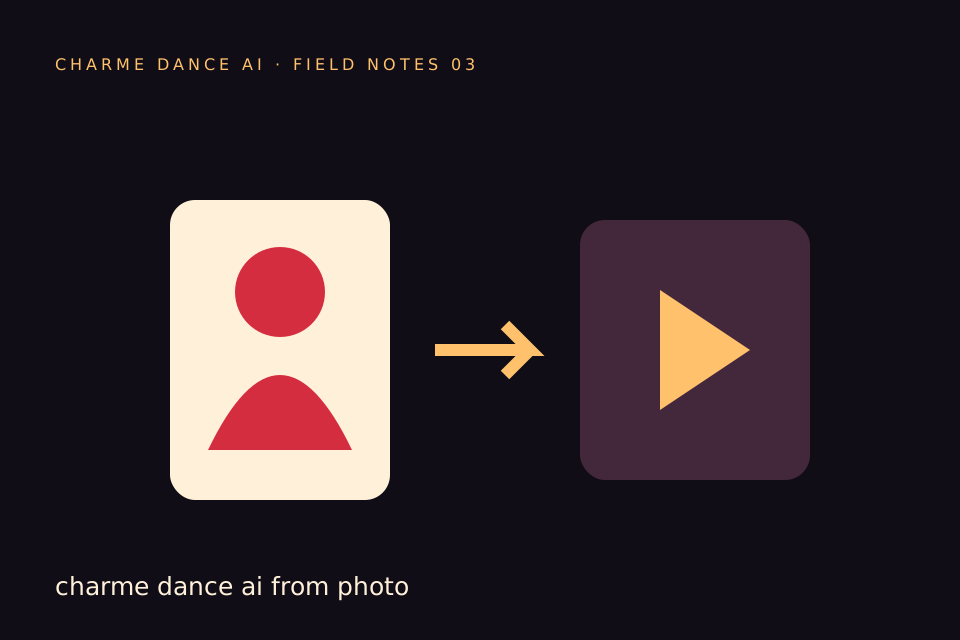
When using Charme Dance AI to animate adult photos, understanding photo privacy and consent is essential. Charme Dance AI’s service involves uploading a single consenting adult photo in JPG, PNG, or WebP format (up to 10 MB) and animating it into a short video using a licensed dance reference and an AI model. This guide clarifies the rights, consent requirements, and platform policies to help users navigate responsible use of Charme Dance AI while respecting privacy and legal boundaries.
Why Photo Privacy and Consent Matter in AI Animation
AI animation tools like Charme Dance AI can generate compelling visual content, but they also raise important privacy and ethical considerations. Photos of adults are personal data protected by privacy laws and ethical standards. Without explicit consent:
- Individuals may feel exploited or violated.
- Legal risks may arise from unauthorized use.
- Platforms may face compliance and reputational issues.
Consent is not merely a formality; it is a continuous process that ensures the rights and dignity of adults depicted in photos are respected. Charme Dance AI requires that each uploaded photo clearly depicts a consenting adult, emphasizing the importance of obtaining explicit permission before animation.
Legal Frameworks Governing Adult Photo Rights
While laws vary by jurisdiction, several common principles apply to the use of adult photos:
- Right of Publicity: Individuals control commercial use of their likeness.
- Privacy Laws: Protect against unauthorized use of personal images.
- Copyright: Photographers or content creators may hold rights to the photo itself.
- Consent Requirements: Written or verifiable consent is often necessary for lawful use.
Charme Dance AI’s policies align with these principles by requiring users to confirm that the uploaded photo depicts a consenting adult who has authorized its use for AI animation. Users must ensure they have the legal right to upload and animate the image.
Charme Dance AI’s Specific Consent and Privacy Policies
Charme Dance AI currently accepts only one photo per video generation, with the following key conditions:
- Photo Requirements: JPG, PNG, or WebP format, maximum 10 MB file size.
- Consent Verification: Users must confirm the photo is of a consenting adult.
- Content Moderation: The platform screens text, photos, and generated videos for NSFW content.
- Credit System: Each video generation costs 50 internal credits; credits are refunded if generation fails.
- Output: The service produces one silent, vertical, approximately 10-second 720p MP4 video using a licensed hallway dance reference and the Kie AI Seedance 2.0 model.
- Limitations: The platform does not support custom audio or video uploads, multiple dancers, alternative models, different resolutions or formats, trimming, muting, or email notifications upon completion.
- Job Status: Users check generation status on the site; no push notifications are sent.
- Sample Access: Public samples can be viewed without an account.
By using Charme Dance AI, users implicitly agree to these terms and confirm that the photo depicts a consenting adult. Uploading photos of minors or non-consenting adults is prohibited.
Practical Steps to Ensure Proper Consent Before Uploading
To use Charme Dance AI responsibly, follow these steps:
- Obtain Explicit Consent: Secure clear permission from the adult in the photo, preferably documented in writing or via recorded communication.
- Verify Age: Confirm the individual is legally an adult (18+ or local age of majority).
- Explain Intended Use: Inform the person about the animation process, the nature of the output video, and potential sharing.
- Confirm Photo Ownership or Rights: Ensure you have the right to use the photo or that the owner consents.
- Review Platform Terms: Read Charme Dance AI’s terms of service and privacy policies carefully.
- Respect Consent Withdrawal: Be prepared to remove content if consent is revoked.
- Avoid Sensitive Images: Do not upload photos that could cause harm, embarrassment, or violate privacy.
Comparing Photo Rights, Consent, and Platform Policies
| Aspect | Photo Rights | Consent | Charme Dance AI Policy |
|---|---|---|---|
| Ownership | Photographer or subject may hold rights | Explicit permission required from adult subject | Users confirm photo depicts consenting adult |
| Use Restrictions | Commercial and personal uses vary | Must specify intended use | Animation only; no commercial resale permitted |
| Privacy Protection | Protected by data privacy laws | Consent protects privacy | NSFW filtering and content moderation |
| Revocation | Possible in some jurisdictions | Consent can be withdrawn | Users responsible for compliance |
| Age Verification | Essential for legal use | Must confirm subject is adult | Platform prohibits minors’ photos |
Worked Example: Animating a Consenting Adult Photo on Charme Dance AI (Hypothetical)
Consider "Alex," a 25-year-old professional who wants to animate a photo for a social media post. Alex follows these steps:
- Select a Clear Photo: Alex chooses a well-lit JPG photo from a recent photoshoot.
- Confirm Consent: Since Alex is animating their own photo, consent is inherent.
- Check File Size: The photo is 7 MB, under the 10 MB limit.
- Upload to Charme Dance AI: Alex logs in and uploads the photo.
- Use Credits: Alex buys 50 internal credits for his video; the cost is shown before he starts.
- Generation Process: The platform uses a licensed hallway dance reference and the Seedance 2.0 AI model to generate a silent, vertical 10-second 720p MP4 video.
- Wait Time: The generation process takes about 10 minutes, though queue times may vary.
- Review Output: Alex downloads the private video and shares it responsibly.
Alex adheres to all platform rules and privacy guidelines, ensuring responsible use of their own adult image.
How to Manage Credits and Pricing for Animation
Charme Dance AI uses a credit-based system for video generation:
- Credits: Every new account gets one free watermarked preview. The full 720p file needs a credit pack or plan; the cost of the clip is shown before they start, and failed generations return their reserved credits.
- One-Time Credit Packs: Available for purchase at fixed prices—$9.90 for 1 video, $19.90 for 3 videos, and $29.90 for 5 videos. Purchased credits do not expire.
- Monthly Subscription: Costs $29.90 for 10 videos per month. Credits expire at the end of each billing month.
- Yearly Basic costs $100 for 34 standard videos, billed once a year. Credits expire at the end of the billing year; cancel future renewals anytime.
- Credit Usage: Each video generation costs 50 credits. Credits are refunded if generation fails.
- Purchases: Payments are processed via Stripe, but no live purchase data or customer sales have been publicly verified.
Users should plan their credit purchases according to their needs and be aware of expiration policies for subscription credits.
Responsible Sharing and Ethical Considerations
Animating adult photos with AI involves ethical responsibilities beyond legal consent:
- Respect Privacy: Do not share animations without explicit permission from the person depicted.
- Avoid Harm: Avoid creating or distributing content that could embarrass, exploit, or harm individuals.
- Transparency: Clearly communicate that the animation is AI-generated and does not represent real motion capture.
- No Misrepresentation: Do not claim the animation is an exact likeness or authentic choreography.
- Platform Compliance: Follow Charme Dance AI’s content guidelines and respect NSFW filtering.
Ethical use protects individual dignity and fosters a positive AI community.
Useful Internal Resources for Charme Dance AI Users
- Learn more about the platform on the homepage.
- Understand credit pricing details at the pricing page.
- Explore creative applications in the blog post How to Make Charme Dance AI Dance.
- Discover video generation techniques in Charme Dance AI Video from Photo.
These resources help users maximize their experience while adhering to privacy and consent standards.
Frequently Asked Questions About Charme Dance AI Photo Privacy and Consent
What counts as valid consent for uploading a photo?
Valid consent means the adult in the photo has explicitly agreed to have their image used for AI animation on Charme Dance AI. Ideally, this consent is documented in writing or through clear communication.
Can I upload a photo of someone else without their permission?
No. Uploading photos without explicit consent violates privacy rights and Charme Dance AI’s terms of service. Only photos of consenting adults are permitted.
What happens if I upload a photo of a minor by mistake?
Charme Dance AI prohibits any images of minors. Such uploads may be removed, and accounts could be suspended or terminated for violations.
Are there any privacy protections for the photos I upload?
Charme Dance AI uses content filters and moderation tools to screen uploads and outputs for NSFW content. However, users are responsible for ensuring they have consent. Uploaded photos are processed for animation and are not publicly shared.
Can I revoke consent after uploading a photo?
If you uploaded the photo, you can request removal of the generated video. However, managing consent withdrawal depends on platform policies and user cooperation.
Conclusion: Prioritize Consent and Privacy When Using Charme Dance AI
Animating adult photos on Charme Dance AI offers creative possibilities but requires strict adherence to photo privacy and consent principles. Users must ensure that any photo uploaded depicts a consenting adult who understands and agrees to its use for AI animation. By following legal frameworks, platform policies, and ethical guidelines outlined here, users can responsibly enjoy the service while respecting individual rights.
Consent is fundamental—it underpins trust and legality in AI photo animation. Always verify, document, and honor the wishes of the adults whose images you animate on Charme Dance AI.
For the latest information on pricing and subscriptions, visit the pricing page. For questions or support, contact contact@charmedanceai.pro.
Try the tool from this guide
Use the same generator here: one adult photo or a text description, with the credit cost shown before submission.
Make your Charme Dance AI video
Add one clear adult photo. Keep your look, choose the atmosphere, and create a new dance scene.
JPG, PNG or WebP · up to 10 MB
Use a clear front-facing photo with your shoulders and outfit visible. A full-body photo gives the model more useful detail.
Extra direction (optional)
Video length
Only completed videos you choose to share may be selected for the gallery. Your original photo stays private.
$19.90/ 30 credits
30 credits · 12 secondsYou have 0 of 30 credits · short 30.
Generation uses paid credits. No registration gifts or free previews.
Your videos
Your finished Charme videos will appear here. Start with a photo or describe a scene above.
Charme Dance AI
Charme Dance AI editorial team · Source and publishing references