Charme Dance AI video pricing at a glance
Charme Dance AI, accessible at charmedanceai.pro, offers AI-generated dance videos based on a single consenting adult photo and a fixed licensed dance reference. This guide provides a detailed, factual overview of the pricing structure, usage process, and practical tips for maximizing value when using Charme Dance AI’s video generation service in 2026.
Before creating your own video, try the free preview. Every new account can create one free watermarked preview; the full 720p MP4 is unlocked with a credit pack or plan. Failed generations return their reserved credits.
What a paid video includes
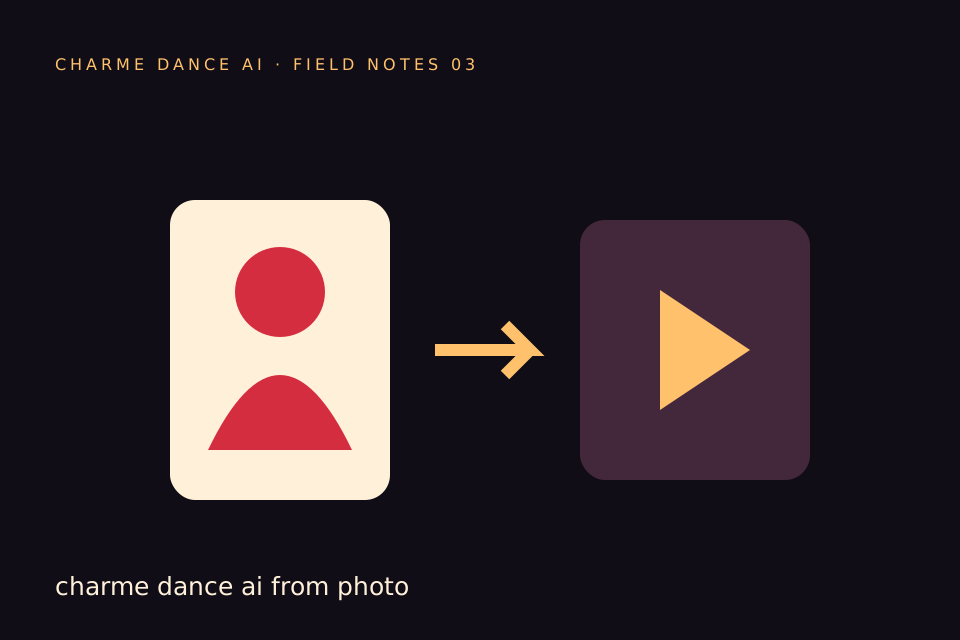
Charme Dance AI keeps an internal credit ledger: each default video generation consumes 50 internal credits. Public plans are described in the number of default videos they cover. The service uses the standard Seedance 2.0 model through Kie AI to create an approximately 10-second vertical, silent 720p MP4. The input is one consenting adult photo (JPG, PNG, or WebP, up to 10 MB) and the site's fixed licensed hallway dance reference. That reference is separate from the viral original clip.
The currently specified options are:
- $9.90 for one default video (50 internal credits), paid once.
- $19.90 for three default videos (150 internal credits), paid once.
- $29.90 for five default videos (250 internal credits), paid once.
- $29.90 per month for ten default videos (500 internal credits per billing month).
- For annual plan availability and terms, check the pricing page.
One-time purchased credits do not expire. The monthly allowance expires at the end of each billing cycle, and unused monthly credits do not roll over. Check the pricing page before paying, because the available annual offer may change.
One-time packs and subscription terms
-
One video ($9.90)
- Provides 50 internal credits for one default generation.
- Credits never expire.
- Suitable for one-off or infrequent users.
- Higher cost per video compared to bulk or subscription options.
-
Three videos ($19.90)
- Provides 150 internal credits for three default generations.
- Credits never expire.
- Slightly better per-video cost than the single pack.
- Good for occasional users needing a few videos.
-
Five videos ($29.90)
- Provides 250 internal credits for five default generations.
- Credits never expire.
- Best value among one-time packs.
- Higher upfront cost but lower cost per video.
-
Monthly subscription ($29.90/month for ten videos)
- Includes 500 internal credits per billing month.
- Credits expire at the end of the billing month.
- Auto-renews until cancelled.
- Best for regular users producing multiple videos monthly.
- Lower cost per video than one-time packs.
-
Annual subscription
- Check the pricing page for the available video allowance, billing term, and cancellation details before paying.
Compare the cost per default video
| Plan Type | Price | Default videos | Internal credits | Credit expiration | Price per video |
|---|---|---|---|---|---|
| Single pack | $9.90 | 1 | 50 | Never | $9.90 |
| Three pack | $19.90 | 3 | 150 | Never | $6.63 |
| Five pack | $29.90 | 5 | 250 | Never | $5.98 |
| Monthly subscription | $29.90/month | 10 | 500 each month | Billing month | $2.99 |
| Yearly Basic | $100/year | 34 | 1,700 | Billing year | $2.94 |
How a generation works
- Input Requirements: Upload one consenting adult photo in JPG, PNG, or WebP format, maximum size 10MB.
- Dance Reference: The system uses a fixed licensed 9.426-second hallway dance movement clip as the motion reference. This is not the viral original video but a standardized licensed version.
- Output: A silent, approximately 10-second vertical MP4 video at 720p resolution is generated.
- Generation Time: One measured successful run took about 10 minutes; future queue times may vary.
- Cost: Each default video generation consumes 50 internal credits.
- Preview: After a successful paid generation, users receive a 320px-wide preview without a watermark and access to a private downloadable original video.
- Public Sample: A free public sample video is available on the site, which differs from the user-specific post-generation preview. The public sample is a demonstration video accessible to all visitors, while the preview is a personalized output based on the user’s uploaded photo and generation request.
- Moderation: Text, photo, and output video content are subject to NSFW moderation filters.
- Music Rights: The output is silent and includes no music rights. Add separately licensed audio in your own editor; the site does not accept audio uploads. Read the music rights guide.
Account and credit rules
- Free Preview: Every new account can create one free watermarked preview before buying.
- Paid Full File: The full 720p file requires a credit pack or a monthly/yearly plan; every new account gets one free watermarked preview first. The cost of the clip is shown before you start.
- Preview Then Purchase: Visitors from ChatGPT also get one free watermarked preview; credits unlock the full 720p file.
- Credit Refunds: Failed generation jobs result in refunds of internal credits.
- Credit Sharing: Credits are tied to individual accounts and cannot be shared or transferred.
- Job Status: Users can check the status of their video generation jobs on the site interface.
Current limits
- The current interface does not support:
- Custom audio or video uploads.
- Multiple dancers or alternate AI models.
- Custom dance references beyond the fixed hallway clip.
- Video editing or email notifications.
- Other video resolutions or formats beyond 720p vertical MP4.
- Free custom previews before payment.
The public sample lets you judge the intended style before signing in. It is not a promise that your own photo will produce an identical face, movement, or rendering time. The 320px personalized preview appears after a successful generation, so it cannot be used as a free trial of your own photo before the generation is charged.
Worked example: eight videos across two months
This is a hypothetical planning example, not a customer case. Suppose Alex needs four videos in each of two separate billing months, eight videos in total.
- Option 1: Single pack at $9.90 per video → 8 videos cost $79.20.
- Option 2: Three-pack at $19.90 for three videos → three packs cover nine videos → $59.70 total.
- Option 3: Five-pack at $29.90 for five videos → two packs cover ten videos → $59.80 total.
- Option 4: Monthly subscription at $29.90 for ten videos per month → two billing months → $59.80 total. Unused monthly credits expire after each month.
- Option 5: Check the pricing page if an annual plan is available when Alex is ready to pay.
Alex could choose three one-time three-video packs for $59.70, slightly less than two monthly payments, and keep one unused video for later. If Alex prefers a recurring allowance, the two monthly payments total $59.80 but any unused credits in each month expire. The best choice depends on whether the dates are predictable and whether Alex wants a renewal.
Ways to avoid paying for unused capacity
- Buy one-time credit packs or a plan; the cost of the clip is shown before you start.
- For infrequent use, purchase one-time credit packs to avoid recurring fees.
- For predictable production within a billing month, compare the monthly per-video price with the one-time packs before choosing.
- Plan video generation to use monthly credits before expiration.
- Check the pricing page for current plans and terms.
- Review the face distortion guide before choosing a photo.
- Read the music rights guide before adding a soundtrack elsewhere.
Pricing FAQs
Q1: How do I pay for credits on Charme Dance AI?
A1: Every new account gets one free watermarked preview. The full 720p file needs a credit pack or a monthly/yearly plan; the cost of the clip is shown before you start, and failed generations return their reserved credits.
Q2: Can I share or transfer my credits to another user?
A2: No. Credits are tied to individual user accounts and cannot be shared or transferred.
Q3: Do credits expire?
A3: One-time purchased credits do not expire. The monthly allowance expires at the end of each billing month. If an annual plan is offered, its terms appear on the pricing page before payment.
Q4: What happens if I don’t use all my monthly subscription credits?
A4: Unused monthly credits expire at the end of the billing cycle and do not roll over.
Q5: Are there any hidden fees or additional charges?
A5: The pricing page shows the charge and video allowance before checkout. Applicable taxes may be added based on your location and shown at Stripe Checkout. Review the final checkout total before paying.
Contact and support
For help, email contact@charmedanceai.pro. For plan availability, visit pricing. The blog and studio explain the input and output in more detail.
Before you choose
Charme Dance AI turns one adult photo into an approximately ten-second silent vertical dance clip using a licensed motion reference. The site sells completed video allowances through one-time packs and a monthly subscription; each default generation uses 50 internal credits. One-time pack credits do not expire, while monthly credits are tied to the billing month. The cost of the clip is shown before you start, and the finished video is yours; failed generations return their reserved credits.
By understanding the pricing options, credit system, and usage process, users can make informed decisions to optimize their experience with Charme Dance AI’s video generation service.
Check the current options
See the pricing page for the current public plans and renewal terms. Start from the studio with your own consenting adult photo. For input guidance, read the photo guide and prompt guide.
Try the tool from this guide
Use the same generator here: one adult photo or a text description, with the credit cost shown before submission.
Make your Charme Dance AI video
Add one clear adult photo. Keep your look, choose the atmosphere, and create a new dance scene.
JPG, PNG or WebP · up to 10 MB
Use a clear front-facing photo with your shoulders and outfit visible. A full-body photo gives the model more useful detail.
Extra direction (optional)
Video length
Only completed videos you choose to share may be selected for the gallery. Your original photo stays private.
$19.90/ 30 credits
30 credits · 12 secondsYou have 0 of 30 credits · short 30.
Generation uses paid credits. No registration gifts or free previews.
Your videos
Your finished Charme videos will appear here. Start with a photo or describe a scene above.
Charme Dance AI
Charme Dance AI editorial team · Source and publishing references