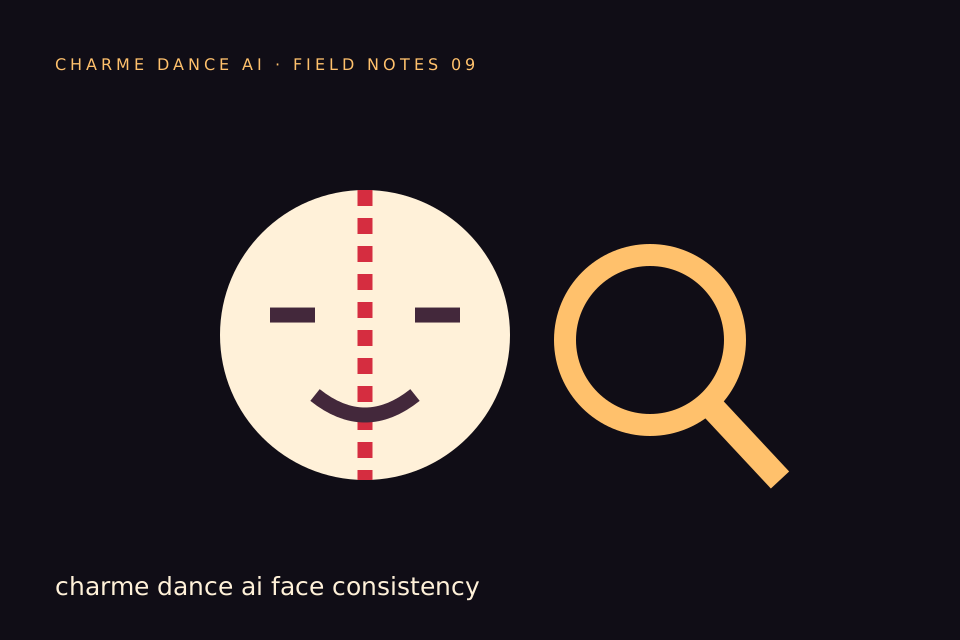
If your Charme dance AI face looks different, begin by separating two questions: was the reference clear, and did the generated motion stay coherent? A sharper input can help with missing facial information. A simpler shot can reduce opportunities for drift. Neither guarantees a perfect result.
This guide explains how to review a dance clip and plan a more informed next attempt. It does not describe a free repair service, a guaranteed identity lock or an automatic face-swap tool. Charme Dance AI generates new footage with standard Seedance 2.0 from text or one consenting adult photo.
Why a moving face is harder than a still image
A photograph supplies one view at one moment. A dance video asks the model to infer expressions, head turns, lighting changes and parts of the body that may not appear in the reference. The farther the shot moves from the available evidence, the more it has to invent.
For example, a straight-on portrait does not show the exact profile of the nose or the hair behind an ear. A fast turn exposes those missing areas. A crowded night scene adds changing shadows and nearby bodies.
This is a useful way to understand the limitation without assuming that every imperfect result has the same cause. One video may be limited by the photograph; another may be limited by the generated motion.
Review the reference before changing the prompt
Open the original image at a comfortable size. Are both eyes visible? Is the face in focus? Does a hand, hat or shadow hide an important feature? Is the person small compared with the background?
Check whether a beauty filter changed the person's appearance. A heavily processed image may be internally consistent but not resemble the adult as their friends know them. The model can only use the supplied reference, not your memory of the person.
If several faces are present, take a new solo photo. If the input is a compressed screenshot, locate the original. These changes address the source rather than asking a prompt to recover information that is no longer there.
Inspect the video in a consistent order
First watch at normal speed. Identify the exact moment where the person stops looking recognizable. Then review that part more slowly in a player or editor.
Use four checkpoints: the opening, the most visible turn, the closest approach to the camera and the ending. Compare the face shape, hair, eyes and outfit. Also inspect the boundary between the lead and any nearby dancer.
Keep the result's job identifier if you need support. A specific description such as “the face changes during the turn near the middle” is more useful than “the AI is bad.” Do not send payment-card details or a password in a support message.
Simplify the direction before adding detail
If a fast turn is the problem, ask for a smaller turn or a mostly front-facing groove. If the face becomes tiny, keep the camera closer while still leaving enough room for the dance. If a crowd crosses the lead, request fewer background people and a clear foreground.
A practical direction is:
Keep the lead facing mostly toward the camera. Use small side steps and relaxed shoulders, with only a gentle head turn. Keep background adults behind the lead and avoid moving the camera rapidly.
This is a creative instruction, not a technical guarantee. It can make the intended shot more coherent, but the generated result still needs review.
Do not ask for incompatible priorities
Some requests conflict with each other. “Keep every outfit detail unchanged” and “transform the clothing into an elaborate costume” ask for different outcomes. “Show the full body from far away” and “keep the face large throughout” compete for framing.
Decide which feature matters most for your clip. For a group-chat joke, recognition may matter more than showing every footstep. For a dance explanation, a real filmed demonstration may be a better choice than generated footage.
The prompt guide shows how to organize subject, movement, scene and camera without stacking contradictory demands.
Keep hands and body separation in the review
A face can look convincing while hands or shoulders fail. Check whether fingers merge, an arm changes length or the lead overlaps unnaturally with a background person. These problems can be easier to see during a pause than at normal speed.
Avoid describing a generated dance as a faithful record of the adult's actual movement. Even a visually pleasing result is synthetic. If the person is going to share it themselves, let them inspect the whole video before posting.
Do not upload a celebrity or stranger to “test” face consistency. Use your own permitted adult image or a fictional adult in text mode.
Know what a retry costs
The default request here is twelve seconds at 720p for thirty credits. A successful new generation is a new paid request. There is no unlimited retry entitlement hidden in the purchase price.
A technical failure returns the credits consumed by that failed job. A completed video with an artistic imperfection is a different situation. If you believe there is a service problem, contact support with the job identifier and a concise explanation.
Before retrying, name the change you are making and the reason. “Use a sharper photo with both eyes visible” is a meaningful experiment. Repeating the same request several times without a budget can become expensive.
An illustrative troubleshooting sequence
Imagine a consenting adult's face changes during a quick head turn. Start by checking the input: it is a dim selfie with one side of the face hidden. Take a new, wider portrait in even light.
Next, simplify the direction to a gentle front-facing groove. Keep the crowd behind the lead and avoid rapid camera movement. Review the displayed credit cost before submitting another generation.
Afterward, compare the same checkpoints. If the result remains unsuitable, stop spending and consider a filmed clip or a different creative idea. This is a hypothetical workflow, not a claim that these changes guarantee a measured improvement.
Avoid misleading before-and-after claims
A selected successful frame is not evidence of perfect video identity. If you share an example publicly, identify it as generated and avoid hiding the parts that matter to the claim you are making.
A commercial page should distinguish stock references, generated examples and actual customer results. This site labels licensed mood footage as stock rather than pretending it demonstrates the model's output. That distinction matters when you decide whether to buy.
For context about the difference between the real dance and the AI effect, read what Charme dance means.
Frequently asked questions
Can I lock my face exactly?
This studio does not promise an exact identity lock. It uses your permitted photo as a reference and generates a new scene. Review every result.
Will more prompt words always help?
No. More words can introduce contradictions. Clear priorities and a useful photo are more valuable than a long list of demands.
Can I repair one frame here?
The current tool generates whole videos. It is not a frame-by-frame retouching editor. Keep your downloaded original if you choose to edit it elsewhere.
Should I keep generating until it looks perfect?
Set a budget and make purposeful changes. Stop if the workflow does not suit your requirement. A real filmed performance may be the correct answer when exact identity and motion are essential.
Where can I prepare another attempt?
Use the embedded studio below after checking your photo and direction. The photo preparation guide offers a practical checklist before you spend again.
Try the tool from this guide
Use the same generator here: one adult photo or a text description, with the credit cost shown before submission.
Make your Charme Dance AI video
Add one clear adult photo. Keep your look, choose the atmosphere, and create a new dance scene.
JPG, PNG or WebP · up to 10 MB
Use a clear front-facing photo with your shoulders and outfit visible. A full-body photo gives the model more useful detail.
Extra direction (optional)
Video length
Only completed videos you choose to share may be selected for the gallery. Your original photo stays private.
$19.90/ 30 credits
30 credits · 12 secondsYou have 0 of 30 credits · short 30.
Generation uses paid credits. No registration gifts or free previews.
Your videos
Your finished Charme videos will appear here. Start with a photo or describe a scene above.
Charme Dance AI
Charme Dance AI editorial team · Source and publishing references